01 Gather
Catch the thought. Keep writing.
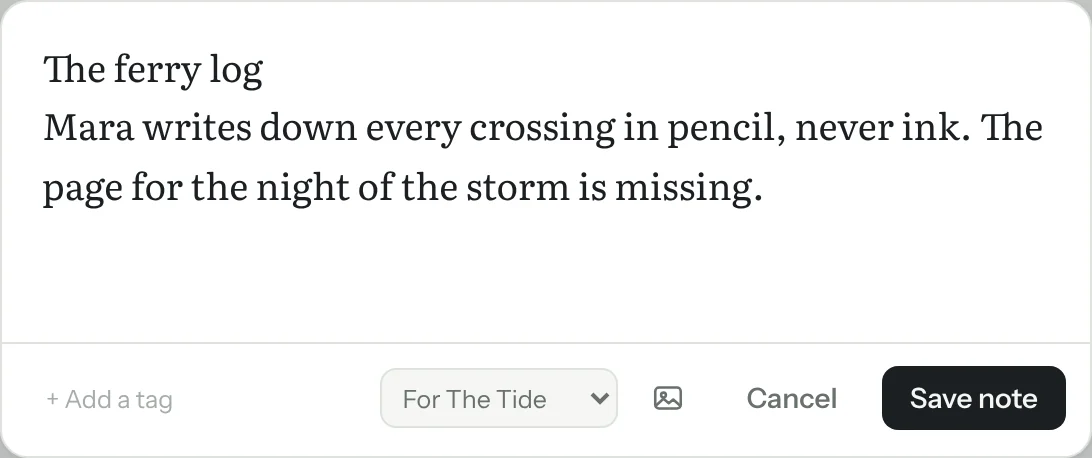
Save a line, a photo or a screenshot in seconds. Add it to a story now, or decide later. Paste a web address and it becomes a bookmark.
A writing app for authors and storytellers
Muninn is a calm writing app that brings your notes beside your draft. Capture an idea wherever you are, then find the details you need as you write.
In private testing. Built to work offline, with your writing stored on your device.


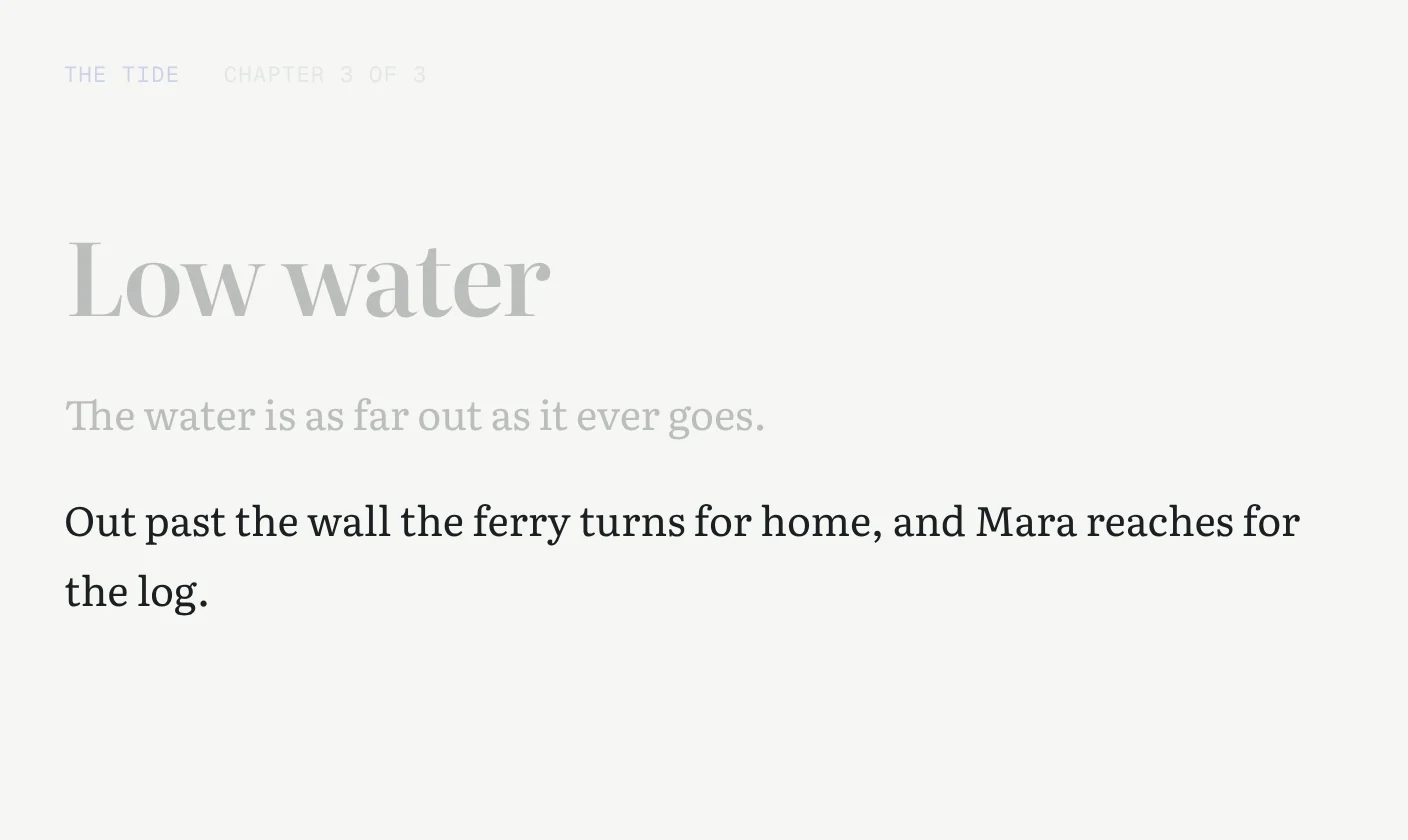
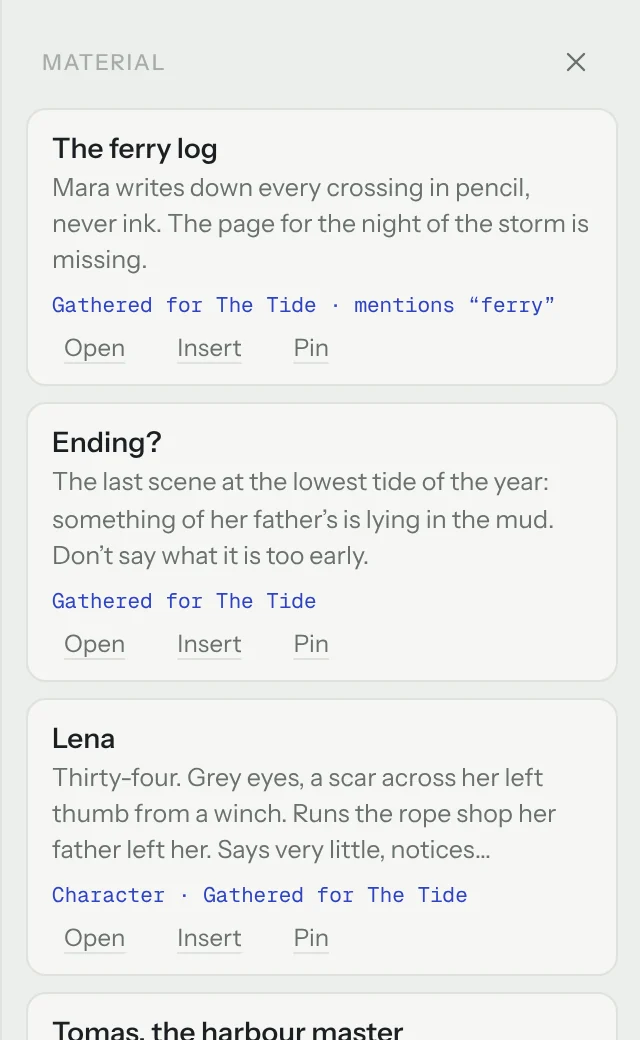
Writing chapter 3 of The Tide. The scene mentions the ferry, so the note about the ferry log comes back, next to the page, with the reason it’s there.
How it works
01 Gather
Save a line, a photo or a screenshot in seconds. Add it to a story now, or decide later. Paste a web address and it becomes a bookmark.
02 Write
Draft in a quiet editor, reorder your chapters, and focus on one paragraph at a time. Each manuscript keeps a project folder for characters, research, images and links.
03 Recall
See the notes you’ve pinned or linked, the ones gathered for this story, and the ones that mention the same names and details as your paragraph. Drag one into the page, or just glance.
There’s no AI here: Muninn matches the words in your paragraph with the words in your notes, and tells you why each note is there.
Yours
Not automatically, yet. Today you move it with a backup file: back up on one device, restore on the other, and the newest edits win. Syncing through iCloud Drive is what we’re building next.
Your writing lives on your device, so we never have a copy. Keep a backup: one tap saves everything, pictures included, to a single file you can keep in iCloud Drive, Dropbox or anywhere you like.
Muninn runs in a web browser on phones, tablets and computers. Add it to your Home Screen or install it from the browser, and it opens like an app and works offline.
Not today. Finding related notes is plain word matching on your own device. If AI proofreading comes later, it will be off until you turn it on, it will ask before any chapter is sent, and your writing will never be used to train it.
It’s free while it’s in private testing. The plan is to keep writing free, and later to offer paid sync for people who want their work on every device. Prices aren’t set yet.
In Norse mythology, Muninn was the raven who returned with what he had seen. Muninn brings what you’ve gathered back to the page.
Muninn is in private testing.
See how it works